Gentle Sort / Features
Browse, choose and remember
Each person looks through the house at their own pace, from wherever they live, and marks what matters to them.
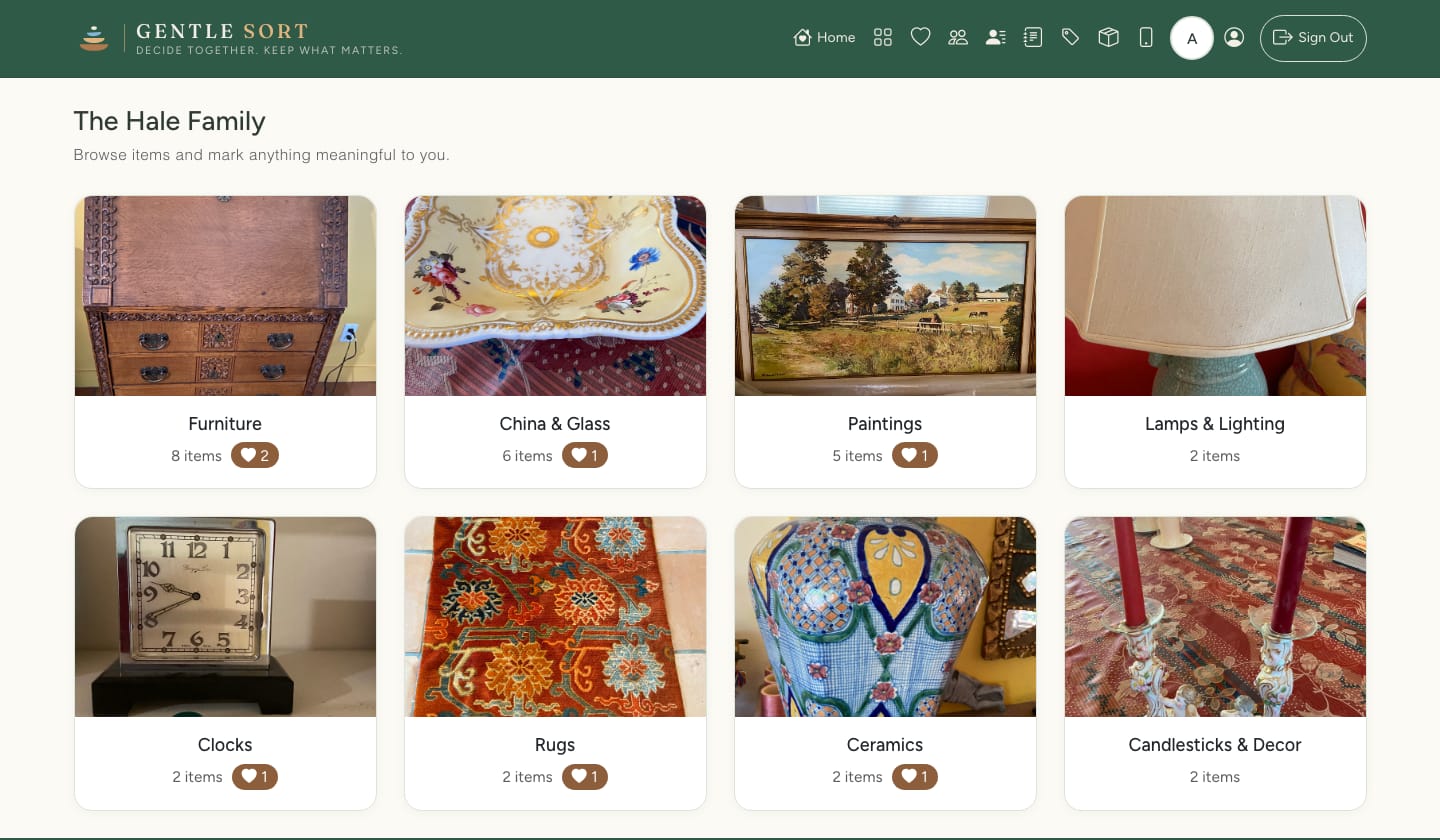
Look through it room by room
Everything is grouped by category, with a photo of every item. Open any piece to see more photos, its description, the room it was in and its value.
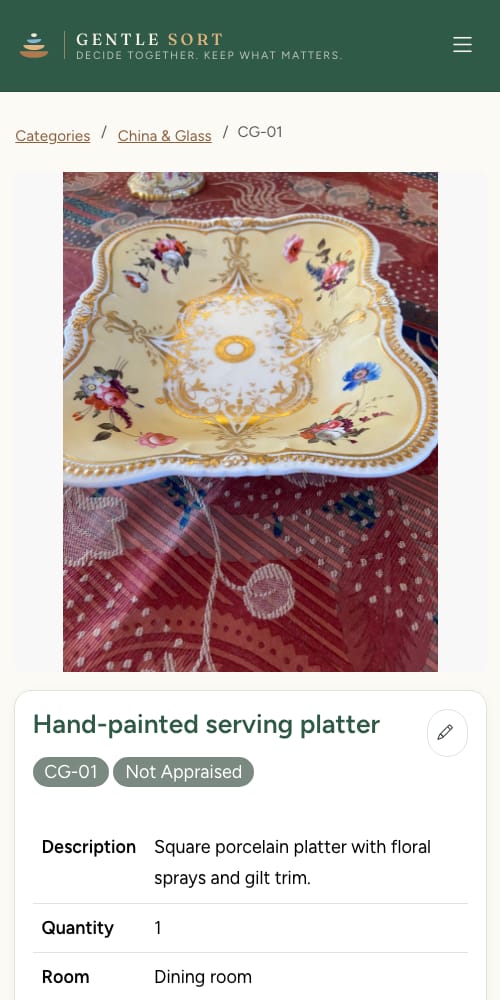
It works on a phone, a tablet or a computer, so the cousin across the country sees the same list as the sister who lives nearby.
Mark what matters to you
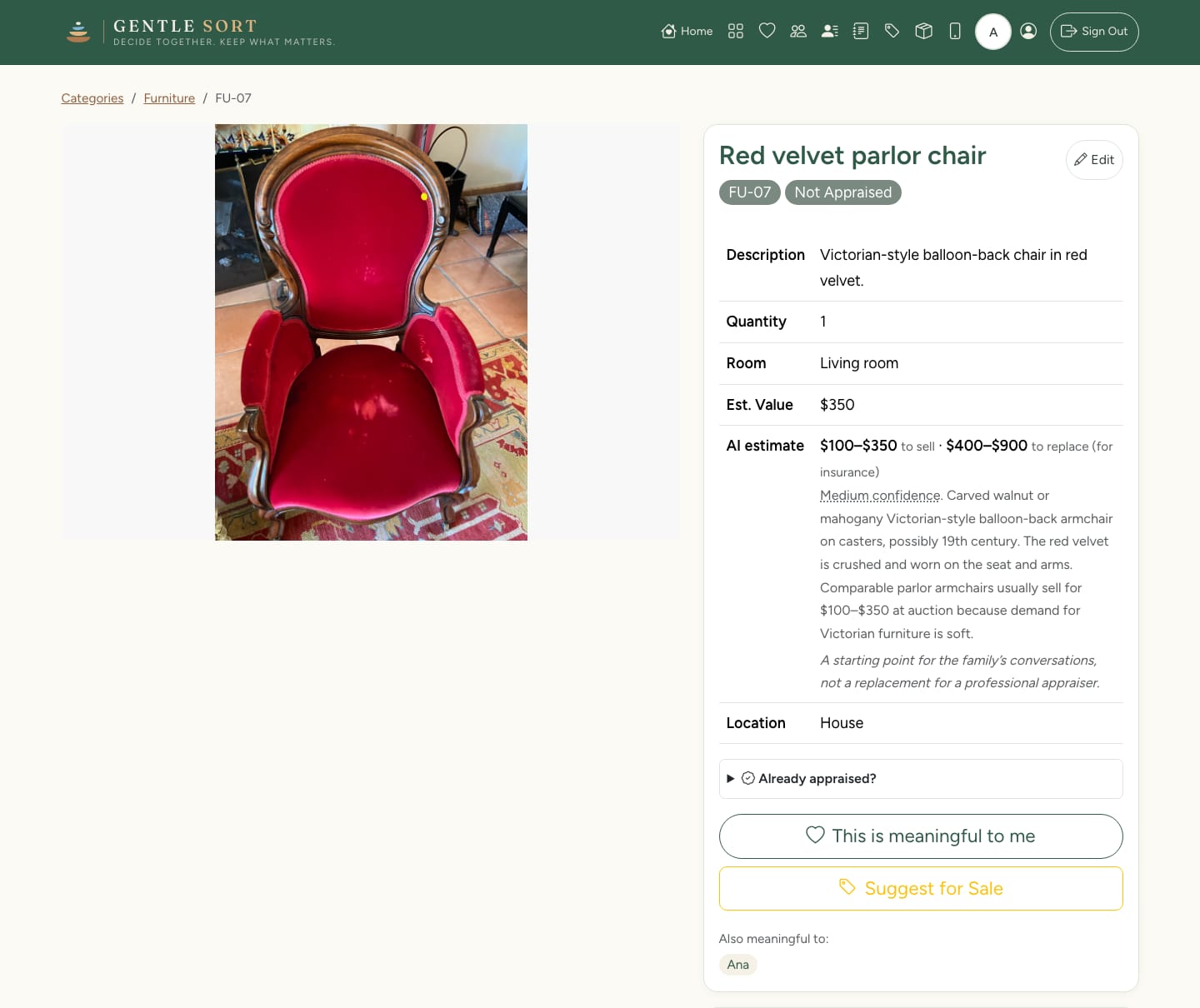
One tap marks an item as meaningful to you. Your choices are collected on one page, and you can change your mind at any time.
There’s no first-come rule. Taking your time doesn’t cost you anything.
Write down the story, or say it out loud
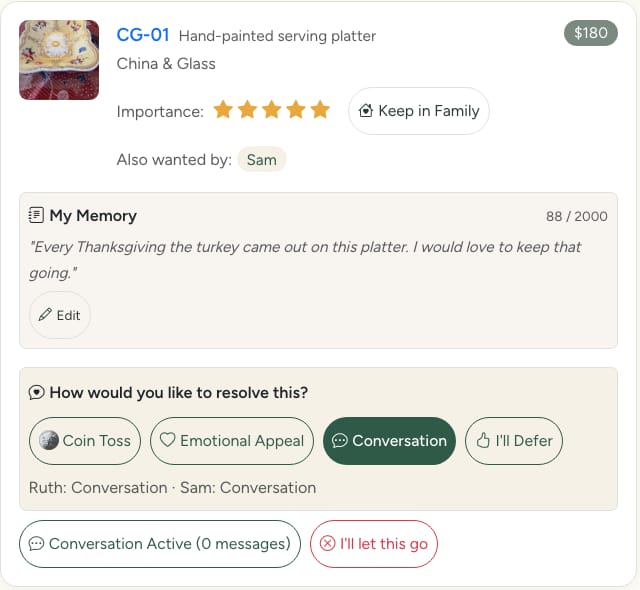
Add a memory to any item: where it came from, who used it, why you want it. Type it, or record it in your own voice. The rest of the family can read it and listen to it.
Memories stay with the item even if you change your choice, so the family ends up with a record of why things mattered as well as what was there.
Easy for older relatives
Large text and buttons that are always visible, with nothing hidden behind gestures. Text size can be turned up to four levels, the largest at 28 pixels.
How shared items are settled, and how everything gets packed and stored.